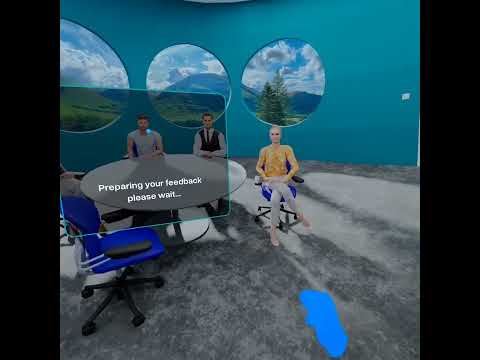
Watch the full app walkthrough: VR Engager on YouTube
A Concept Document. No Resources. Go.
Most clients come with a brief. Some come with a design. Some come with an existing codebase.
This client came with an idea written on a document.
A VR app where users upload their presentations, stand in front of a virtual audience, rehearse their speech, and get AI feedback on how they performed. Tone. Pace. Filler words. Confidence markers. All analyzed in real time. All delivered as an improvement report inside the headset.
No API selected. No environment designed. No tech stack specified.
Just: here’s the concept, make it work.
This was 2023. I was on Fiverr. She was in Switzerland. And I had never integrated an AI voice analysis API into anything before.
I said yes.
The Problem Nobody Warned Me About
Here’s what the concept document didn’t mention.
In 2023, AI voice analysis wasn’t what it is today. The tools were rough. The documentation was inconsistent. The APIs that existed were either built for music, built for enterprise at enterprise prices, or simply didn’t do what I needed them to do.
The first thing I did was research. Not build — research.
Because before a single line of Unity code gets written, you need to know what you’re connecting it to.
First stop: OpenAI Whisper.
Whisper was the obvious choice. Everyone was talking about it. I integrated it, tested it, pushed it hard.
It transcribed speech beautifully. But transcription wasn’t enough. I needed analysis — tone, pace, emotional markers, speech patterns. Whisper told me what someone said. I needed to know how they said it.
Dead end.
Second stop: another API I won’t name because I genuinely can’t remember it.
Same story. Good at one thing. Not built for what I was building.
Third stop: Smule.
I found Smule’s audio analysis capabilities while digging through forums and documentation trails. It wasn’t the most famous tool in the room. But when I tested it against my requirements — tone detection, pace analysis, speech pattern recognition — it did exactly what I needed.
I went to the client. Explained the research. Got approval.
Integrated Smule.
The AI engine was alive.
Building the Environment — Then Scrapping It
While the AI integration was taking shape, I started on the VR environment.
The brief said virtual audience. So I built one. A proper 3D auditorium — modeled seats, crowd geometry, lighting, spatial audio. The kind of environment that takes time to get right and feels genuinely immersive when it does.
Then the client saw an update.
“Can we use panorama images inside a sphere instead?”
I stared at the message for a moment.
I don’t know where she got the idea. Maybe she’d seen another app. Maybe she’d read something. But the direction was clear — scrap the 3D environment, wrap a panoramic photo around the inside of a sphere, place the user in the center.
Weeks of 3D environment work. Gone.
This is the part of freelance development nobody talks about. The invisible work. The hours that don’t appear in the final product. The decisions made by clients at 2am in Switzerland that arrive in your inbox at 6am in Pakistan.
I rebuilt the environment. Sphere mapping. Panoramic image projection. User centered in the middle of it.
It worked. Different from what I’d imagined — but it worked.
What VR Engager Actually Does
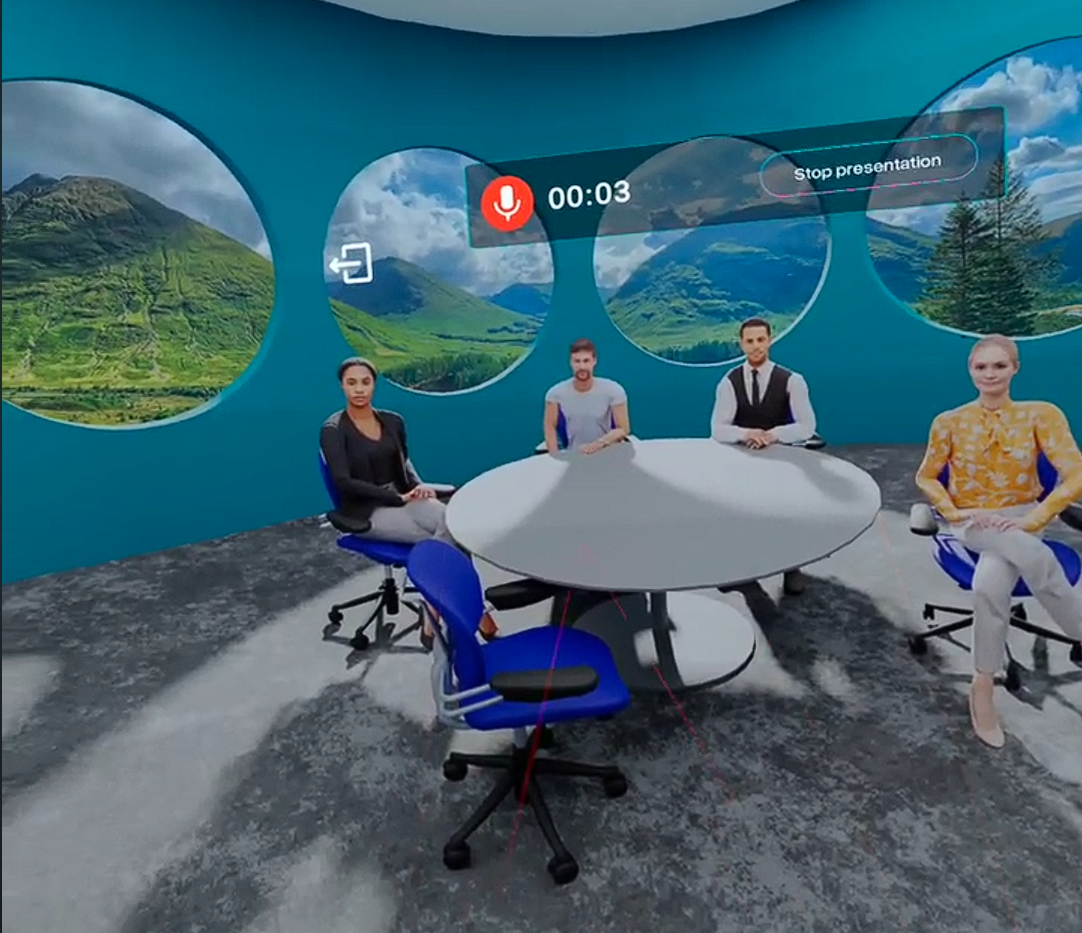
Once it was built, here’s the full experience:
Step 1 — Upload. The user uploads their presentation slides directly into the app. The slides appear in the virtual environment as if projected on a screen in front of them.
Step 2 — Rehearse. The user puts on the Quest 2, stands in front of their virtual audience, and delivers their presentation exactly as they would in real life. The audience is there. The slides are there. The pressure is real enough to matter.
Step 3 — AI Analysis. While the user speaks, Smule’s audio engine is running in the background. Capturing every word. Analyzing tone shifts. Tracking pace. Detecting filler words — the ums, the uhs, the you knows that bleed into nervous presentations.
Step 4 — The Report. When the rehearsal ends, the AI generates an improvement report. Pace score. Tone consistency. Filler word count. Confidence markers. The user sees exactly where they struggled and what to fix before the real thing.
All of it. Inside the headset. In real time.
The Revision Spiral
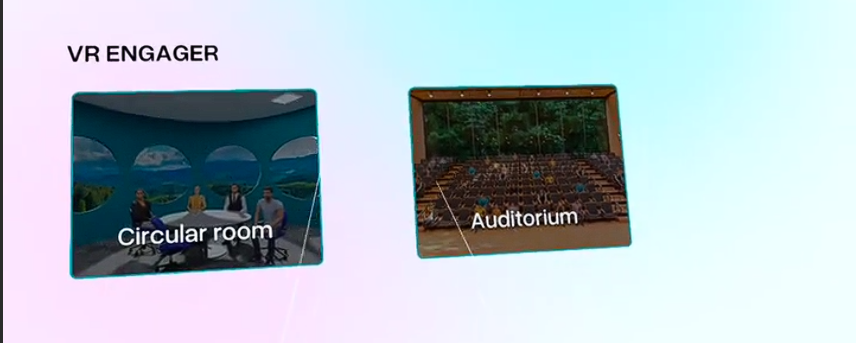
The app itself was done in the first two months.
Then the revisions started.
The client went through three completely different panoramic image versions — each with multiple rounds of tweaks. A different artist was hired to create the images. But I was the one applying every change, creating new builds, testing on device, and delivering to Switzerland.
UI changes — three or four full redesigns as she refined her vision.
Each change individually was reasonable. Cumulatively, they stretched a two-month project into six.
I kept extending the delivery date on Fiverr. She kept providing new directions. The cycle repeated.
Here’s what I learned about scope on fixed-price projects: the concept document is never the final spec. The first delivery is the start of the negotiation, not the end of the work. And panoramic sphere environments are deceptively simple to describe and surprisingly fiddly to get exactly right.
The Review That Stung
When she finally completed the order — after I told her directly that the budget had stretched far beyond what the project cost — she left a review.
Four stars overall. Three stars for “service as described.”
After six months. After three environment overhauls. After four UI redesigns. After dozens of builds delivered across time zones.
I didn’t make a scene. I took a screenshot of the review, sent her a message asking what specifically fell short, kept it professional.
She didn’t reply.
I moved on.
But I kept the lesson.
Three stars in “service as described” on a project that expanded three times beyond its original scope is not a reflection of the work. It’s a reflection of what happens when expectations aren’t locked down in writing at every pivot.
Every revision should have been a scope discussion. It wasn’t. That’s on me as much as it’s on her.
What This Project Actually Gave Me
The review stung. The timeline was painful. The panorama pivot cost me weeks.
And yet — this is one of the most important projects I’ve delivered.
Because it was 2023. And I integrated an AI voice analysis engine into a Unity VR application before most developers knew that was a thing you could do.
The research process alone — testing Whisper, evaluating multiple APIs, landing on Smule, getting it working inside a Quest 2 application — taught me something that couldn’t come from a tutorial. How to navigate an API landscape where the right answer isn’t obvious. How to test, discard, and iterate on infrastructure decisions the same way you’d iterate on features.
By late 2024 I had developed the skills to build custom backends in ASP.NET Core — and started creating my own API integration architecture that I’ve since used across six different projects.
That work lives here: WitClientApi — Reusable Unity API Integration Package
I’ll write a full breakdown of that package in the next post — how it works, what it solves, and why I built it instead of using existing solutions.
What This Project Taught Me
1. Research before you build — especially when the client hasn’t done it
A concept document is not a spec. When the client doesn’t know which API to use, that research is your job — and it should be scoped and charged accordingly. Testing three APIs before finding the right one is real work. Treat it that way.
2. The pivot is part of the job — but it has a price
The panorama sphere pivot wasn’t wrong. It was just undiscussed. Every change in direction on a fixed-price project either needs a scope amendment or a boundary conversation. Neither happened here. Now they always do.
3. A bad review on good work tells you something about process, not quality
Three stars in “service as described” is painful when you’ve over-delivered. But it’s also data. If the client didn’t feel the final product matched the original concept — even after three environment overhauls — something in the communication broke down. Find where. Fix it for next time.
4. The uncomfortable projects teach the most
This was not a clean project. It was messy, slow, and ended on a sour note. It also taught me API research methodology, cross-timezone client management, and the limits of fixed-price contracts — lessons I’ve used on every project since.
5. First-mover skills compound
Integrating AI voice analysis into VR in 2023 felt like navigating in the dark. By 2024 those skills had compounded into a custom backend architecture. By 2026 that architecture has shipped in six projects. The uncomfortable pioneer work always pays off — just not immediately.
The Result
A fully functional AI-powered VR speech training application — panoramic virtual audience, real-time voice analysis via Smule, AI-generated improvement reports, presentation slide integration — shipped on Meta Quest 2 and delivered to a client in Switzerland.
Not the smoothest project I’ve run. But one of the most formative.
What’s Next
The API integration work on this project eventually led me to build something I now use across every Unity project I ship.
WitClientApi — a reusable Unity package for clean, maintainable API integration that handles authentication, request queuing, error handling, and response parsing without the usual boilerplate mess.
I’ll break down the full architecture in the next post.
→ Coming next: Building WitClientApi — Why I Stopped Using Existing Unity API Packages and Built My Own
Building Something That Needs VR, AI, or Both?
If you’re building a training simulation, immersive learning tool, or any application that combines VR with real-time AI — this is the kind of work we do at WitShells Studio.
We’ve shipped VR for defense, education, and skills training. We know how to research the right tools when the right tools aren’t obvious. And we know how to deliver when the brief is nothing more than a concept document.
📩 sayedsulaiman607@gmail.com · cto@witshells.com 💬 WhatsApp Me →
Tags: VR Development, AI Integration, Speech Analysis, Public Speaking VR, Unity 3D, Meta Quest 2, Smule API, Whisper API, Fiverr Development, WitShells Studio, VR Training, ASP.NET Core
About the Author
Syed Suleman Shah is CTO of WitShells Studio — a VR and interactive experience studio delivering immersive environments for education, defense, and enterprise clients across Pakistan and the Middle East.
© 2026 WitShells Studio (SMC-Private) Limited. All rights reserved.